Time clock devices and software

Employee time clock software to connect time tracking and payroll

Make every minute count with Dayforce Time Clocks, the modern employee time clock solution that lets your worldwide team track hours worked anytime, anywhere.

Overview

Simplify clocking in and out  

Say goodbye to chasing paper trails and using a physical time card system for employees. Track the right hours worked and help prevent lost wages with Dayforce. Whether you need a shared kiosk or time clock in a busy location or a mobile time clock for work on the go, Dayforce supports flexible clocking across roles and environments.

Help your company track time more effectively 

Choose from six different time clock systems that meet industry standards.

Reduce time clocking errors and increase accuracy with data you can count on. 

Save time and effort with smarter technology 

Update clocks to support changes in your company and adapt to your fluctuating needs.

Enable your workforce to clock in and out quicker with facial recognition technology.

Find the best time clock for your team   

Choose from a variety of time clock devices and software. No matter your industry, work environment, or staff size, we have the solution to keep your team happy and your time tracked.

Dayforce Clock Pro

Give your employees a smarter, more modern way to manage their shifts. Sleek, powerful, and user-friendly, this high-performance device features a large touchscreen and flexible, modular design built to evolve with the needs of your workforce.

Dayforce Mobile  

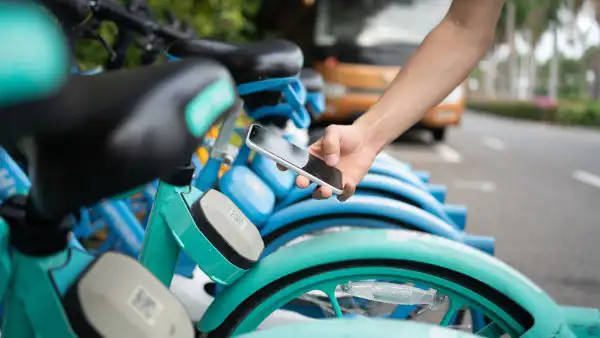
Offer flexibility to your staff with the Dayforce mobile app. From clocking in and out to transferring shifts, to viewing timestamp history and beyond, each employee can track productivity directly on their mobile device.  

Dayforce Clock and Clock Plus

Streamline time tracking with this standalone, cloud-based clock. Our online employee time clock is designed to work from any web-enabled device so employees can clock in and out, start and end meals, and more on their device of choice.

Dayforce Tuff  

Introducing a ruggedized version of the Touch clock. Built to withstand inclement weather and other harsh work environments, it’ll keep your data safe – no matter what type of workplace.

Dayforce Employee Self-Service Clock

Want a solution made for your hourly workers? The Dayforce Time clock offers the same functionality as the Web clock –  but is embedded directly within Dayforce. 

Trusted by over 6,000+ Businesses

Why our customers love Dayforce

The Foschini Group logo

“For us, it's such a novelty to be able to clock in and view everything on your phone. It's just not something we have in the workplace right now. So, from a brand point of view, employees have adapted, adopted and are efficiently using the [Dayforce] app.”

Heidi Bundren

Head of Business Process and HR Analytics

Read Story

Ready to get started?

See the Dayforce Privacy Policy for more details.
This site is protected by reCAPTCHA and the Google Privacy Policy and Terms of Service apply.

FAQ

Frequently asked questions

What is time clock software?

Time clock software helps track when employees start and stop work, including meal and break clock entries, and feeds that information into your time and attendance process. The goal is to capture time consistently so managers can review and approve it and payroll teams can spend less time fixing issues.

Dayforce Time Clocks support multiple employee time clock options — including mobile, web, and dedicated devices — so you can choose the best time clock for employees based on your worksites and workforce needs.

How do employees clock in using the Dayforce mobile app?

Dayforce Mobile can work as a convenient employee time clock option, especially for employees who aren’t always near a shared time clock device or kiosk. Employees can use the app to clock in and out, transfer shifts, and view timestamp history from their mobile device.

How do employees use time clock software and hardware?

Dayforce offers dedicated payroll time clock devices such as Dayforce Touch and Dayforce Tuff, as well as browser-based options like Dayforce Clock and Clock Plus, which are designed to work from any web-enabled device.

Employees authenticate at the device, then select actions like clock in/out or start/end meals. It’s a modern alternative to a paper-based time card system for employees — with fewer manual steps and better visibility.

What features should businesses look for in time clock software

Look for time clock systems that match how and where people actually work. Most teams prioritize:

  • · Multiple clocking methods (physical device, web, and mobile) to support different roles and locations
  • · Durability options for tougher environments, if you operate outdoors or in harsh conditions
  • · Easy updates and configuration, especially if you’re managing many software time clocks across sites
  • · Features that can help reduce time theft and speed clocking

How do Dayforce time clock systems integrate with payroll, time, and attendance?

Dayforce Time Clocks are positioned to connect time tracking and payroll. Clock ins and outs captured through employee time clocks flow into Dayforce for review and approvals, helping reduce rework and support pay processing with more consistent time data.

Let us show you what Dayforce can do.